Starting XI Builder
A starting XI builder is for matchday communication: announce who starts, how the team lines up, and who sits on the bench. Lineup Builder turns that selection into a clean team sheet graphic for dressing-room briefings, parent groups, club channels, and social posts.
Why matchday team sheets matter
A list of names in a chat gets lost. A clear starting XI graphic gives everyone the same picture before kickoff — players, staff, parents, and followers.
Faster pre-match announcements
Publish the starting XI once and share it everywhere: team chat, club story, or printed sheet for the dressing room.
One team sheet everyone understands
Names, numbers, shape, captain, and bench in a single image — so there is less confusion about who starts and where they play.
Clearer dressing-room briefings
Walk through the selection visually before kickoff instead of reading names from a notes app.
Ready for fans and content
Post the same starting XI to social without rebuilding it in Canva or a slide deck.
A simple matchday workflow
You do not need a full app tour for matchday. Lock the selection, make it readable, then share it.
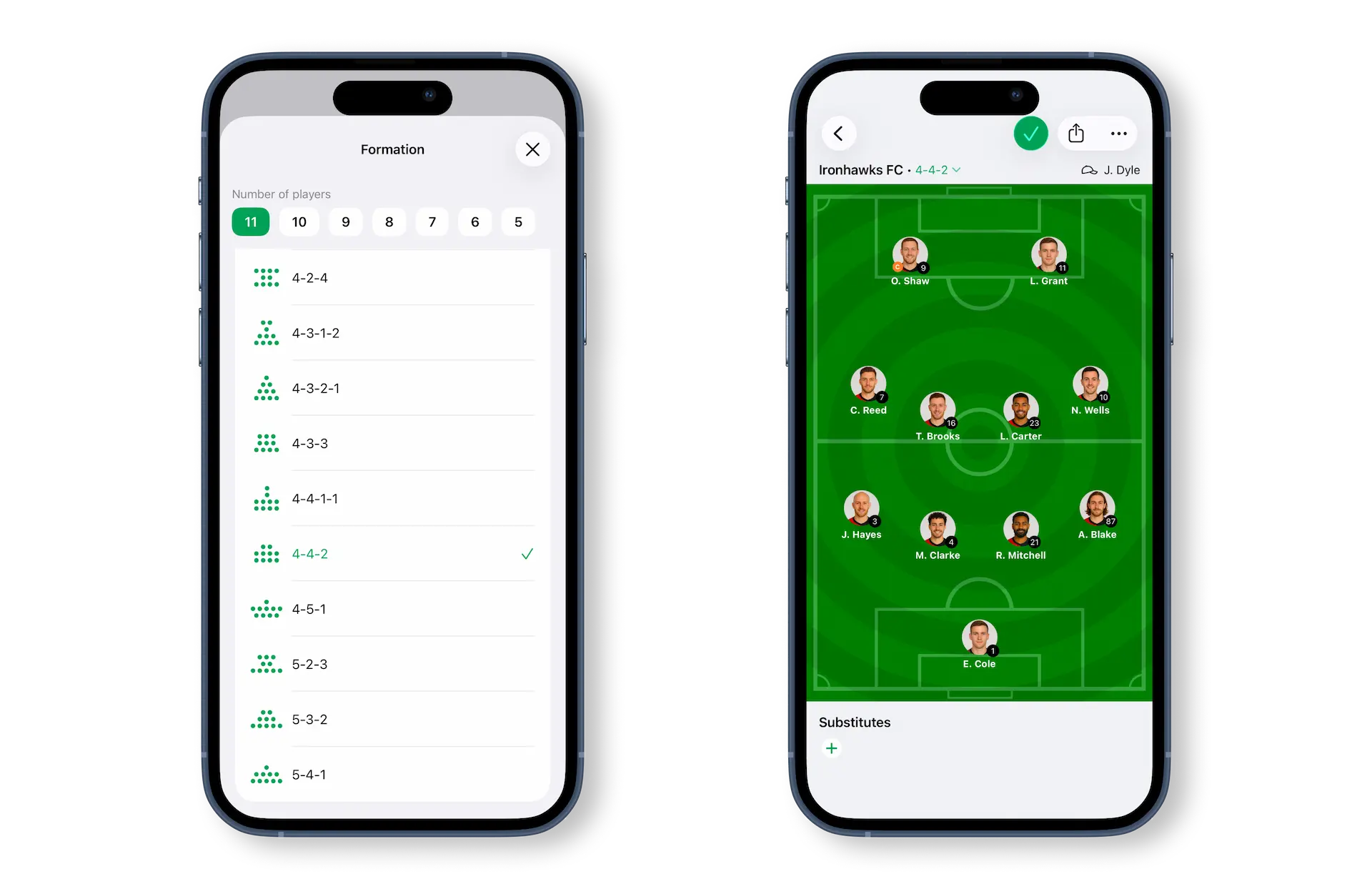
Confirm who starts and the shape
Place the eleven on the pitch in the shape you will use. If roles are unclear on mobile, simplify names and spacing before you export.
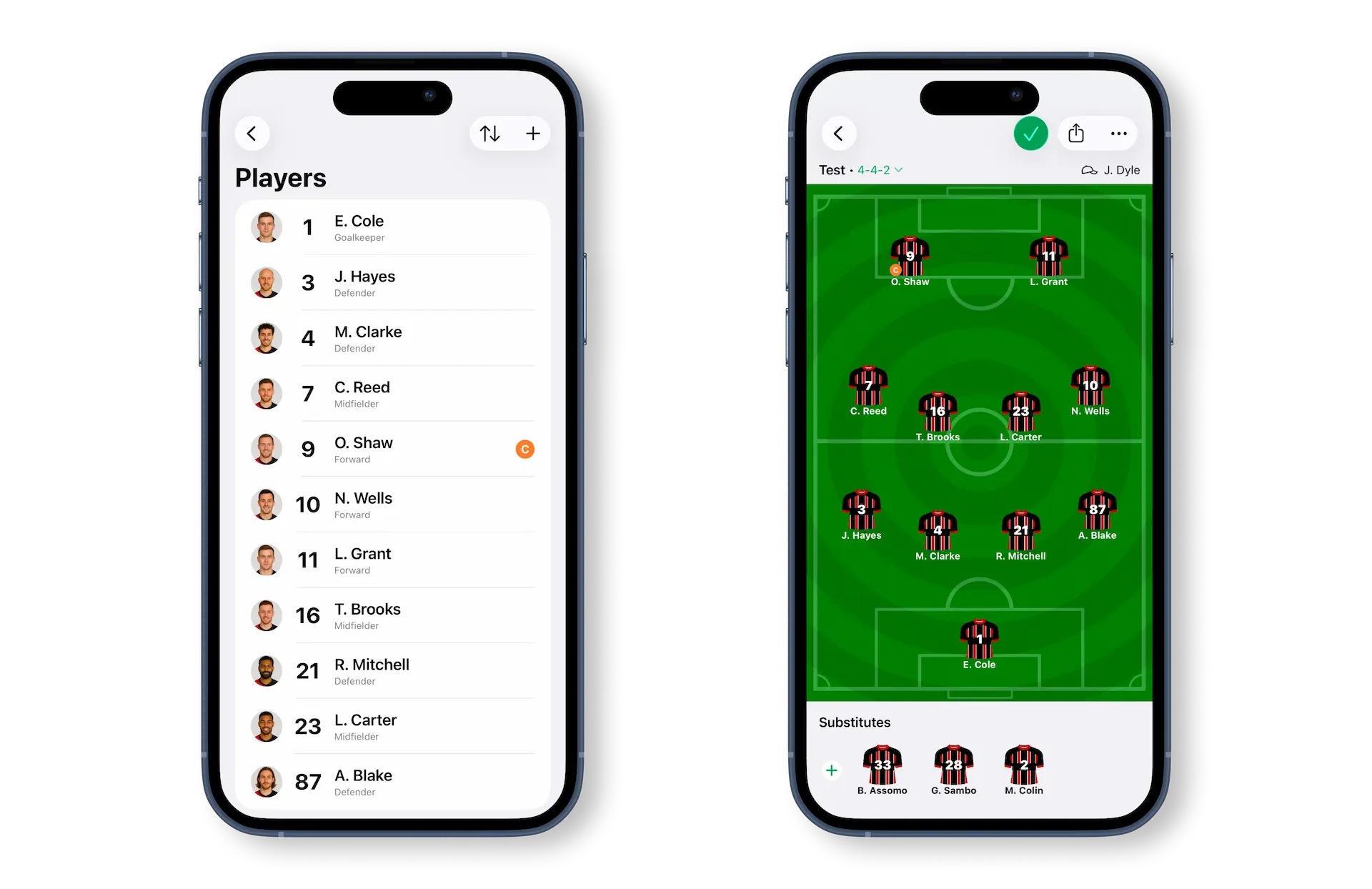
Add captain and bench context
Mark the captain and show substitutes when they matter to the announcement — especially for youth teams and rotation-heavy matchdays.
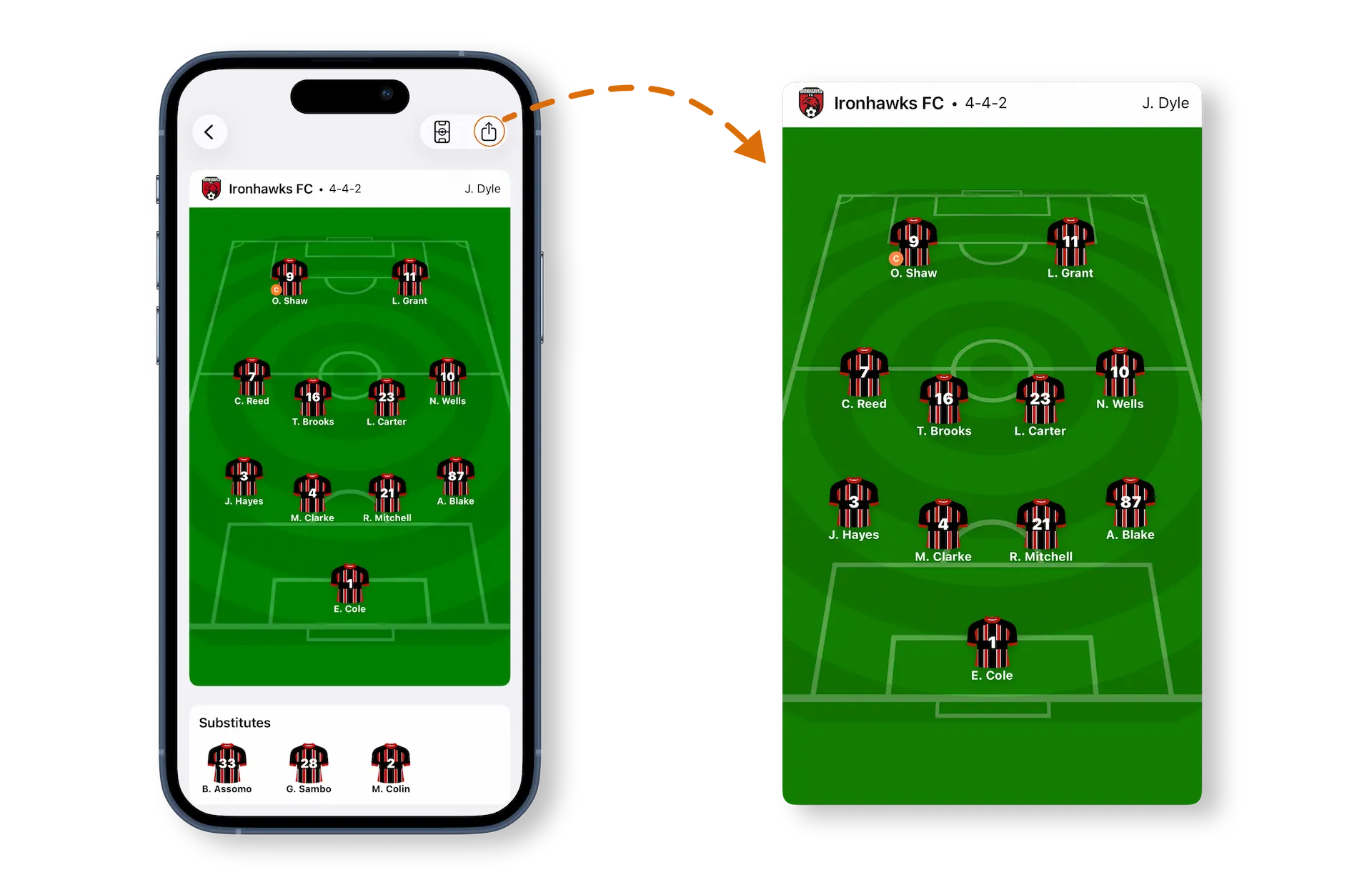
Export the team sheet and announce it
Send one graphic to the group chat, post it for fans, or print it for the dressing room so everyone sees the same starting XI.
Example starting XI scenarios
The same builder works for different matchday stories — what changes is what you emphasize on the graphic.
Weekend league announcement
Share a classic 4-3-3 or 4-2-3-1 with shirt numbers and captain marked. Keep the bench visible if parents and players expect rotation news.
Youth academy matchday
Use a simpler shape and short names. Clarity beats detail: who starts, who is on the bench, and which side of the pitch each player occupies.
Cup game with a tactical tweak
Highlight a different back line or a lone striker so the team understands the change of shape before kickoff.
Social / fan starting XI post
Prioritize a clean pitch, readable names, and club colors. The goal is a graphic people screenshot and share, not a full staff sheet.
Best matchday use cases
Use a starting XI builder whenever the selection itself is the message.
Pre-match team announcements
Publish the starting XI before kickoff so players, fans, and followers see the same team sheet at once.
Dressing-room team sheets
Print or show the graphic in the room so the brief matches what you posted outside.
Youth and academy communication
Send a simple visual selection to parents and players when roles change week to week.
Club and fan social posts
Drop a polished starting XI into Stories or the club feed without a separate design workflow.
Common starting XI mistakes
Most weak team sheets fail on readability, not on tactics.
Names too long for mobile
Full surnames stacked on a small pitch become unreadable in Stories. Shorten labels before you export.
No bench when rotation matters
If substitutes are part of the announcement, hide them and you create follow-up questions in the group chat.
Shape that does not match the brief
Announcing a back three while the graphic shows a back four confuses players. Align the pitch to what you will actually play.
Crowded spacing
Overlapping players look fine on a big screen and fail on a phone. Leave breathing room between roles.
Rebuilding from scratch every week
Save a base lineup per team or competition, then tweak two or three roles instead of redrawing the whole sheet.
Frequently asked questions
What is a starting XI builder?
It is a tool for turning your matchday selection into a visual team sheet: who starts, in which shape, with captain and optional substitutes — ready to announce or print.
When should I publish the starting XI?
Most coaches share it once the selection is final — often the morning of the game or after the last training. The graphic should match the dressing-room brief.
Should the bench be on the same graphic?
Yes when substitutes are part of the communication, especially in youth football. Skip the bench only when you want a pure first-eleven social post.
Who is the Starting XI Builder for?
Coaches announcing teams, academy staff messaging parents, club media posting team sheets, and fans who want a clean starting XI graphic.
How is this different from the Football Lineup Builder page?
This page is about matchday team sheets and announcements. The Football Lineup Builder guide covers the full app: teams, kits, pitch customization, formations, and export.